
Basic Incident Reporting (Step by Step)
The Pekoe Trail Watch App allows hikers, guides, and trail partners to report real trail conditions directly from the ground. All reports help keep the Pekoe Trail safe, accurate, and responsibly managed.
🔗 Access the app: https://trailwatch.thepekoetrail.org
1. What you need
-
A smartphone with internet access
-
Location services enabled
-
A camera with GPS metadata enabled
-
A Pekoe Trail Watch account (Google, Facebook, or email login)
No app download is required. The Watch App works in your mobile browser.
2. When to use the Watch App
Use the app if you encounter:
-
Landslides or erosion
-
Fallen trees or blocked sections
-
Bridge or water crossing damage
-
Overgrown trail sections
-
Signage damage
-
Access issues to trailheads or exits
-
Community needs along the trail corridor
Only report what you directly observe on the trail.
3. Log in to the Watch App
-
Log in using Google, Facebook, or email
-
You will see the trail dashboard with current verified reports
4. Start a basic incident report
-
Tap Report Incident
-
Select Single for basic reporting
-
This option is used for reporting one issue at a time
5. Take a photo
-
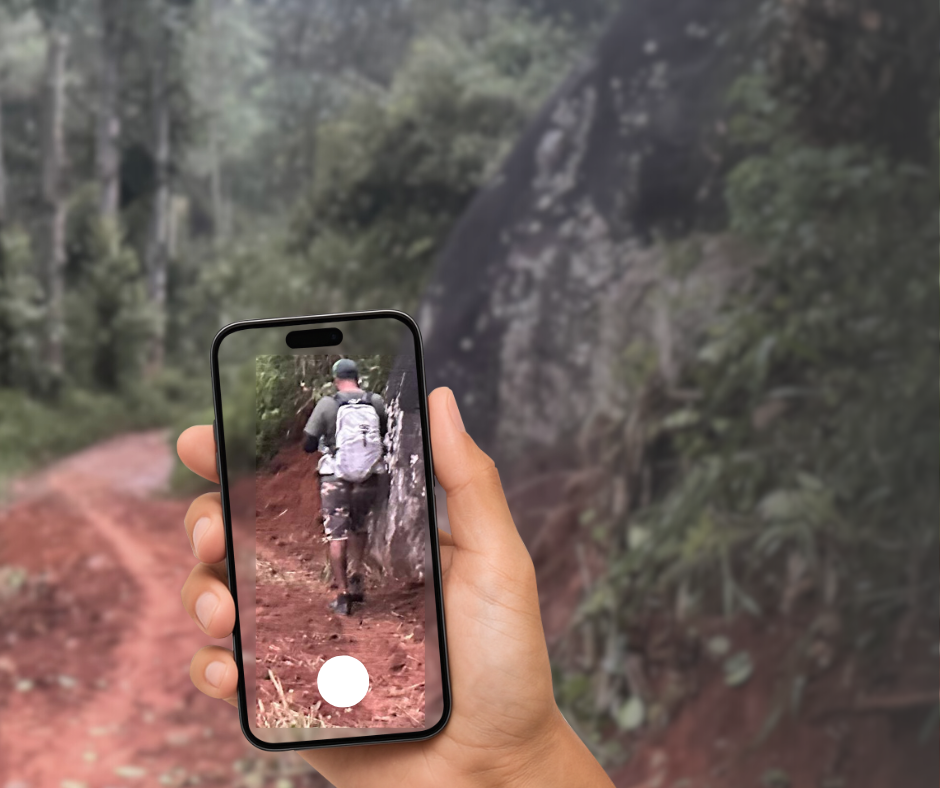
Take a photo of the issue while you are at the location
-
Do not edit the photo before uploading
-
Make sure your camera has GPS enabled
Tip: Edited or compressed images may lose GPS data.
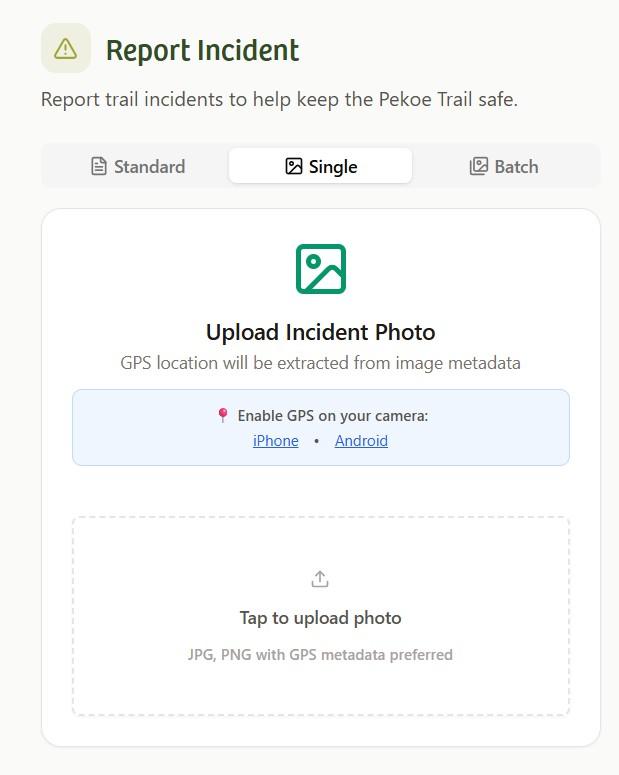
6. Upload the photo
-
Tap Upload Incident Photo
-
Select the photo you just took
-
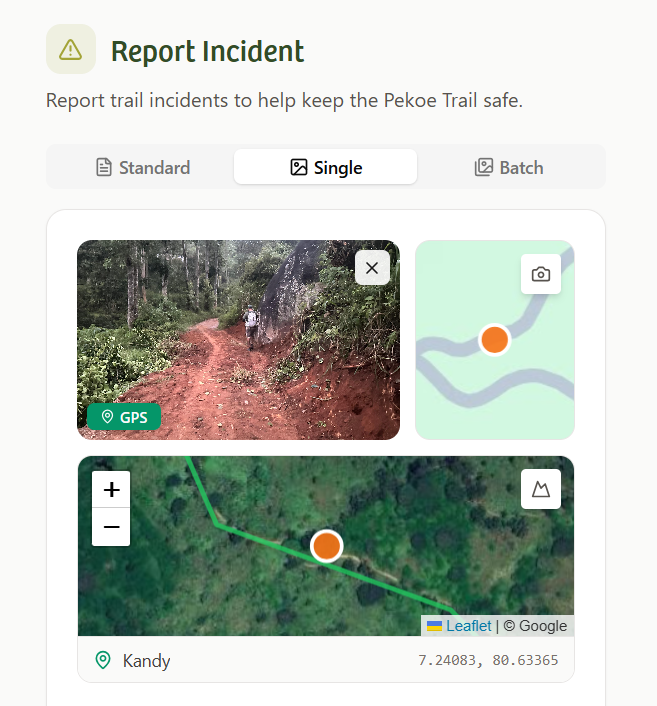
The app will automatically extract the GPS location
-
If needed, you can manually adjust the location on the map
7. Pin and confirm the location
-
Review the map shown on screen
-
Confirm the pin matches the correct trail location
-
Adjust the pin if required
Accurate location helps faster verification.
8. Select trail stage and incident type
-
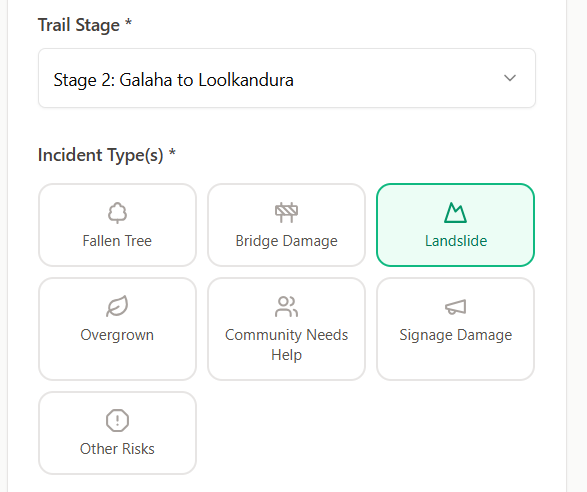
Choose the correct Trail Stage
-
Select one or more Incident Types, such as:
-
Landslide
-
Fallen tree
-
Bridge damage
-
Overgrown section
-
Signage damage
-
Community needs
-
Other risks
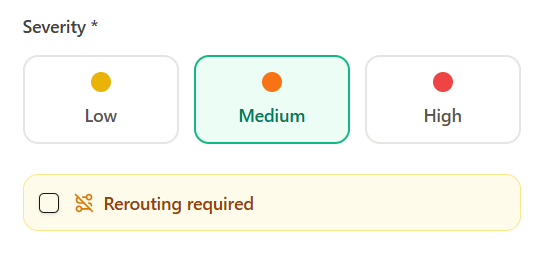
9. Select severity level
Choose one severity level:
-
Low – Minor issue, trail still passable
-
Medium – Caution required, partial obstruction
-
High – Serious risk or trail not safely passable
If rerouting is required, select that option.
10. Add notes
-
Briefly describe what you see
-
Keep it factual and clear
-
Mention distances, directions, or nearby landmarks if helpful
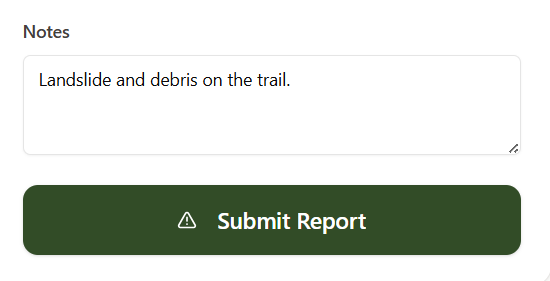
11. Submit the report
-
Review all details
-
Tap Submit Report
-
Your report is sent for verification
Only verified reports are published publicly.
12. After submission
-
The trail operations team reviews your report
-
If clarification is needed, they may contact you
-
Verified information is added to the stage status and maps
Your contribution directly supports trail safety and recovery.
13. Important notes
-
Report only what you personally observe
-
Conditions can change quickly in hill terrain
-
The Pekoe Trail is a community-driven national asset
-
Accurate reporting helps hikers, guides, and communities alike